
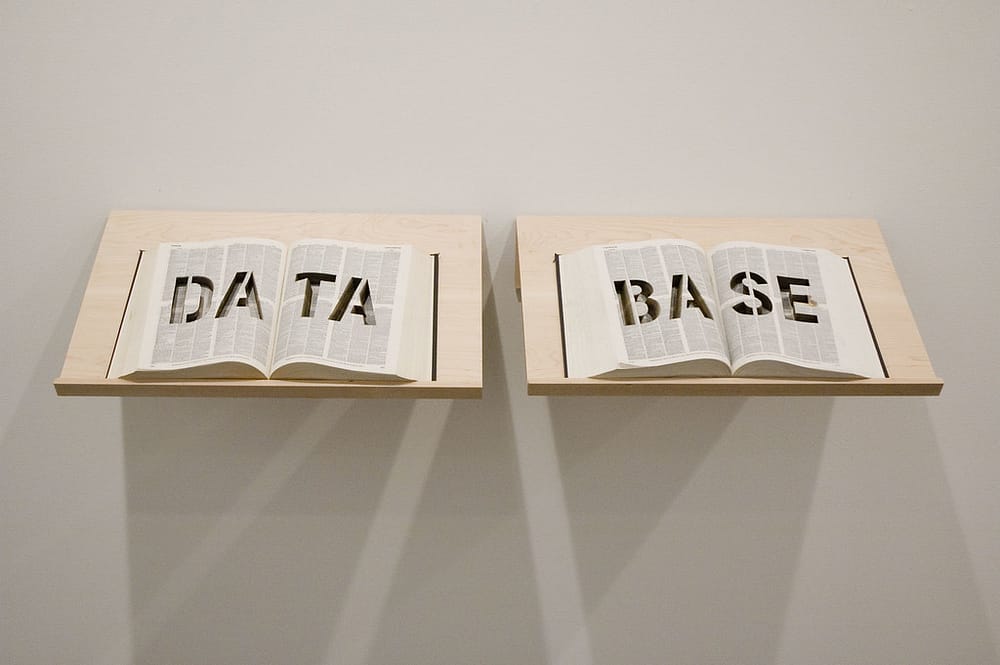
What is a Database? The Beginner-Friendly (and Hilariously Honest) Guide
Why You Should Care About Databases (Even If You Don’t Think You Do)
Let’s be honest. The word “database” sounds like something only nerdy software engineers with three monitors and a caffeine addiction should care about. But here’s the truth: databases quietly run your entire life. Every time you log in to Facebook, check your bank account, stream a movie, or even order suya online, a database is there working harder than your Nigerian uncle trying to convince you to “just learn coding.”
If your phone contact list magically disappeared, you’d probably panic and cry for three days straight. Guess what? That contact list is basically a mini-database. Boom. You’ve been using databases without realizing it.
Table of Contents
So today, we’re breaking it down — no jargon, no confusing tech babble, and definitely no math equations. Just a fun, beginner-friendly guide to understanding databases and why they’re the unsung heroes of technology.
Related: How to Host Your Website on Cloud Hosting
What Exactly is a Database? (Explained Like You’re 5)
A database is simply a place where information (data) is stored, organized, and retrieved when needed. Think of it like a giant digital filing cabinet — except unlike the cabinet in your dad’s office, this one never loses files, doesn’t collect dust, and won’t have a rat living inside.
For example:
- When you open Instagram, the database pulls up your profile, photos, and DMs.
- When you buy airtime through your bank app, the database updates your account balance.
- When you log into Jumia, the database checks if your password is correct (and laughs if you typed it wrong five times).
Unlike my mum’s kitchen drawer full of random keys, receipts, and old batteries, databases actually know where everything belongs.
Related: What is WordPress?
Why Do We Need Databases? (Spoiler: They Save Our Sanity)
Let’s get real — humans are terrible at remembering things. Can you remember what you ate for lunch three weeks ago? Probably not. Now imagine trying to manually remember the birthday of every single Facebook friend you have. Impossible. That’s why we need databases.
Databases:
- Store information safely – Your bank knows exactly how much money you have (and won’t forget… unless the system crashes, but let’s not go there).
- Retrieve info fast – Google finds answers in seconds because it searches its giant database like a librarian on steroids.
- Keep things organized – Imagine Netflix without a database. You’d scroll endlessly through a sea of random movies with no categories. “Romantic Comedy” would sit right next to “Zombie Apocalypse Part 6.”
And let’s be honest — without Facebook’s database reminding us, half of us would forget our best friend’s birthday and get into unnecessary drama.
Types of Databases (Don’t Worry, We’ll Keep It Simple)
Here’s the no-stress breakdown:
- Relational Databases (RDBMS) – Like tables in Excel that talk to each other.
- Example: MySQL, PostgreSQL, Oracle.
- Use case: Banks, e-commerce sites, anything with structured data.
- NoSQL Databases – Stands for “Not Only SQL.” Great for flexible, unstructured data.
- Example: MongoDB, Cassandra.
- Use case: Social media platforms, content-heavy apps.
- Cloud Databases – Hosted in the cloud (Amazon AWS, Google Cloud, Microsoft Azure).
- Use case: Businesses that want scalability without buying big servers.
- Graph Databases – Focus on relationships between data points.
- Example: Neo4j.
- Use case: Social networks (like how Facebook knows who your “friend of a friend” is — a.k.a. your aunty’s cousin’s neighbor’s son who is somehow “family”).
Related: Blockchain Technology and Cryptocurrency – How It Works
How Does a Database Work? (Step by Step)
Let’s pretend you’re ordering shawarma online (because why not?):
- You click “Order” – Your request goes to the website.
- Website asks the database – “Hey, does this user exist? What’s their address? What do they want to eat?”
- Database checks the tables – It finds your account, verifies your info, and pulls up your saved delivery address.
- Database updates – Once you pay, it deducts stock (one less shawarma available).
- Website shows confirmation – Thanks to the database, you know your shawarma is on its way.
Now imagine if the database failed here — you’d be outside arguing with the delivery guy: “Oga, I swear I paid!” while he swears no alert entered.
Related: How to Develop a Mobile and Desktop App
Popular Database Systems (The Celebrities of Databases)
If databases were celebrities, here’s the lineup:
- MySQL – The Beyoncé of databases. Reliable, widely loved, and everywhere.
- PostgreSQL – The nerd’s favorite. Super powerful and flexible.
- MongoDB – The cool, trendy one. Perfect for messy data like social media.
- Oracle Database – Rich and powerful, but expensive (like that uncle who only drinks imported wine).
- SQLite – Lightweight and simple. The friend who quietly does the job without complaining about transport money.
Related: What and How to Design UI/UX
Databases and Websites: A Love Story
Every website you visit is secretly having a love affair with a database. The website is just the pretty front-end (what you see), but the database is the brain behind the scenes.
- Login pages? They check usernames and passwords against the database.
- Shopping carts? Items are saved in the database.
- Blog posts? Stored and retrieved from the database (yes, even this one).
It’s like that couple where one is the glamorous Instagram influencer (the website), and the other is the nerdy accountant (the database) making sure the bills are paid.
Pros and Cons of Databases (Yes, Even Heroes Have Flaws)
Pros:
- Super organized.
- Fast retrieval of information.
- Can handle huge amounts of data.
- Secure (when done right).
Cons:
- Can be expensive — like hosting Christmas when your entire extended family shows up uninvited.
- Require skilled people — you can’t just call your cousin who “knows computer.”
- If hacked or corrupted, big trouble (remember those infamous data breaches?).
Tips for Beginners Who Want to Learn Databases
If you’re curious about learning databases, here’s your starter pack:
- Start with SQL – It’s the universal language of databases and beginner-friendly.
- Practice with free tools – Try MySQL or PostgreSQL (both are free).
- Think of real-world projects – Example: build a database to track your expenses or manage your suya orders.
- Don’t panic at errors – I once spent 3 hours debugging a missing semicolon. Even pros mess up queries. Coffee helps.
- Stay curious – The more you practice, the easier it becomes.
Related: How You Can Start Making Money With Coding Skills
Conclusion: Databases Are the Hidden Superheroes of Tech
So, what’s the verdict? A database is basically the backbone of every modern app, website, and online service. It stores, organizes, and delivers the information you rely on daily — all without you even noticing.
Next time you log into Facebook, order food, or binge-watch Netflix, just whisper a quiet “thank you” to the invisible database working behind the scenes. Without it, your digital life would be as messy as your WhatsApp chat with that one friend who sends 100 memes a day.
And hey — if you’re thinking about diving into tech, learning databases is a fantastic place to start. Who knows? Maybe one day you’ll be the one designing the system that keeps everyone’s shawarma orders safe and sound.
Related: How to Advertise a Website: A Step-by-Step Guide

Hi, I’m Prince Stephen Mordi, the mind behind Voob.com.ng. I write simple, beginner-friendly guides on tech, blogging, and making money online. My goal is to help you navigate the internet without headaches—because tech doesn’t have to be complicated!